Quick Answer
What You’re Paying For | Basic Tier | Growth Tier | Premium/Ecommerce Tier |
Monthly Cost (approx.) | $39–$99 | $150–$250 | $330–$590+ |
Core & Plugin Updates | ✅ | ✅ | ✅ |
Daily Automated Backups | ✅ | ✅ | ✅ |
Uptime Monitoring | ✅ | ✅ | ✅ |
Content/Edit Hours | Minimal | 2–5 hrs/month | 5–15+ hrs/month |
Security Hardening | Basic scan | Scan + malware removal | Advanced + incident response |
Performance Optimization | ❌ | Minor tweaks | Full speed audits |
Best Suited For | Brochure/portfolio sites | Lead-gen small businesses | High-traffic, ecommerce sites |
A monthly website maintenance package is an ongoing service that keeps a site secure, updated, and running fast – typically covering software updates, backups, uptime monitoring, security scans, and a set number of content-edit hours. In 2026, realistic pricing runs from roughly $39–$99/month for a basic brochure site, $150–$250/month for an active small-business site, and $330–$590+/month for high-traffic or ecommerce platforms. If a package costs several times that with no clear breakdown of hours or deliverables, you’re likely paying for a brand name, not the work.
What Is a Monthly Website Maintenance Package?
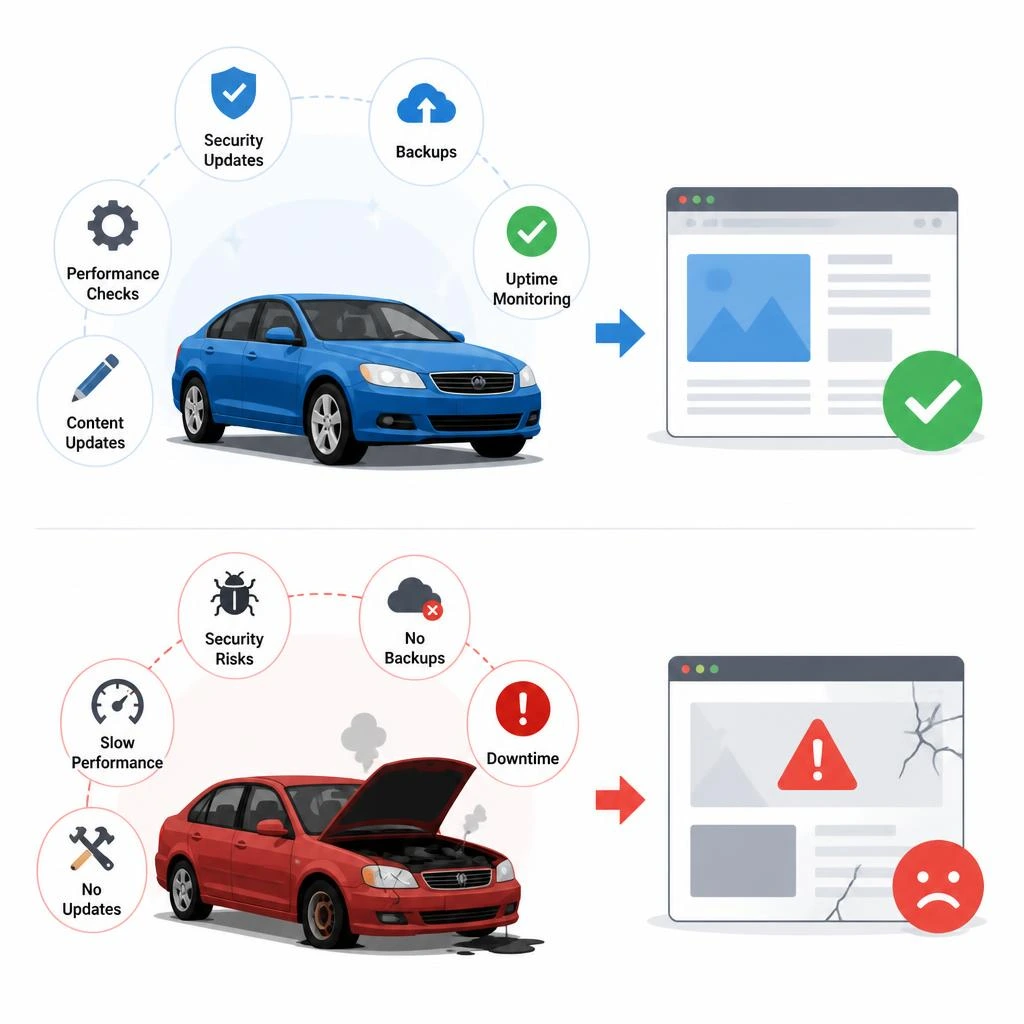
A website isn’t a one-time purchase – it’s closer to a car. You don’t buy it and forget it; you service it regularly or it breaks down at the worst possible time. A monthly maintenance package is simply a recurring service agreement where an agency or freelancer keeps your site healthy: software patched, backups running, uptime checked, and small content changes handled without you having to touch code.
The confusion most site owners run into is that “maintenance package” means wildly different things depending on who’s selling it. Some providers bundle in real technical work – core updates, malware scanning, database optimization. Others just repackage a few hours of copy-paste content edits and call it a “premium plan.” Knowing the difference is what this guide is for.
Why Websites Need Ongoing Maintenance (Not a One-Time Fix)
WordPress, plugins, themes, and server environments all update independently and constantly. A plugin that was compatible with your theme in January can conflict with a core update by March. None of this is hypothetical – it’s the single most common reason small business sites go down or get hacked.
What Happens If You Skip Maintenance
- Security exposure: outdated plugins are the number one entry point for WordPress site hacks
- Broken functionality: an unpatched plugin conflict can silently break your checkout, contact form, or booking system for days before anyone notices
- Slower load times: bloated databases, unoptimized images, and accumulated cache issues degrade speed gradually – most owners don’t notice until rankings drop
- SEO decay: Google deprioritizes sites with broken links, slow load times, or downtime – maintenance isn’t separate from SEO, it protects it
A real example: a site running unpatched for six months isn’t “fine” just because nothing visibly broke. Vulnerabilities sit dormant until a bot scan finds them – and by then, cleanup costs far more than a maintenance plan would have.
What’s Actually Included in a Maintenance Package
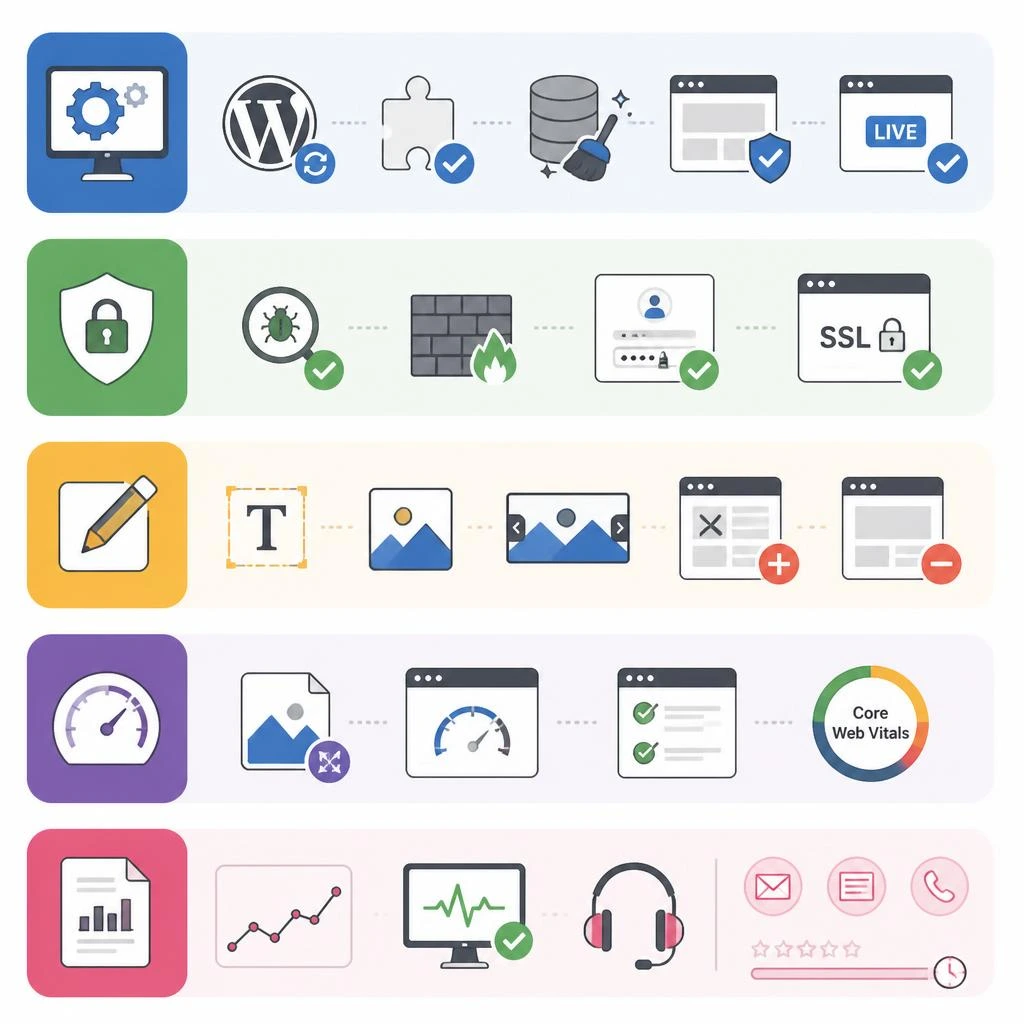
This is where most competitor pages get vague. Here’s what should genuinely be in scope.
Core Technical Maintenance
CMS core updates, plugin/theme updates, database cleanup, and staging-site testing before pushing updates live (skipping this last step is how “routine updates” break production sites).
Security Maintenance
Malware scanning, firewall rules, login-attempt monitoring, and SSL certificate checks. A basic tier usually covers automated scanning; higher tiers add active incident response if something does get compromised.
Content & Design Updates
Text edits, image swaps, banner updates, adding/removing pages – the client-facing work most people assume maintenance means, but it’s actually the smallest technical piece.
Performance & Speed Monitoring
Image compression, caching configuration, and Core Web Vitals checks. This tier of work is usually reserved for growth and premium packages because it requires more diagnostic time than a simple content edit.
Reporting & Support
Monthly traffic/uptime reports and a defined support channel (email, ticket, or phone) with a stated response time – not just “24/7 support” without specifics.
How Much Do Monthly Website Maintenance Packages Cost in 2026
Real market data (not marketing copy) puts pricing in three clear bands.
Basic/Starter Tier Pricing
$39–$99/month. Built for brochure-style or portfolio sites that rarely change. Covers core/plugin updates, automated backups, and uptime monitoring – stability, not active growth.
Growth/Professional Tier Pricing
$150–$250/month. For small businesses actively generating leads through their site. Adds 2–5 hours of monthly content work, minor performance tuning, and faster support response.
Premium/Ecommerce Tier Pricing
$330–$590+/month. For high-traffic or ecommerce platforms where downtime directly costs sales. Includes advanced security hardening, priority incident handling, database optimization, and regular QA on checkout flows.
For context, local Pakistani agencies typically price baseline packages between PKR 7,100 and PKR 23,800/month, scaling with support hours and script management needs.
Why Some Agencies Charge 3–5x More Than Market Rate
It’s worth saying plainly: if you see a “Lite” maintenance tier priced at Rs. 60,000/month (roughly $215) offering just 8 hours of general work and 5 broken-link fixes, that’s several multiples above the documented market rate for the same scope. That doesn’t automatically make it a bad service – but it means you should ask exactly what justifies the premium (dedicated account manager, faster SLA, specialized expertise) rather than assume higher price equals higher quality.
How to Choose the Right Maintenance Package for Your Site

By Website Type
A five-page portfolio site and a 200-product ecommerce store have nothing in common in terms of maintenance needs, even if they’re built on the same CMS. Match the tier to actual complexity, not to what sounds impressive.
By Traffic and Update Frequency
If you’re publishing content weekly or running promotions monthly, you need real content-edit hours built into the plan. If your site is static for months at a time, you’re paying mostly for security and uptime – don’t overbuy hours you won’t use.
By CMS Platform
WordPress maintenance (plugin conflicts, core updates) looks different from Shopify or a custom-built CMS (fewer third-party plugin risks, but less standardized support). Ask specifically what platform experience the provider has – generic “we maintain all websites” answers are a warning sign.
DIY Maintenance vs. Hiring an Agency – What’s the Real Trade-Off
DIY works if you or someone on your team has real WordPress admin experience and time to spend weekly on updates and monitoring. It fails when “I’ll get to it” becomes the actual maintenance schedule – which is how most neglected sites end up compromised.
Hiring an agency isn’t just about saving time; it’s about consistency. A provider running the same update-and-check process across dozens of sites catches issues faster because they’ve already seen the failure pattern before on someone else’s site.
Red Flags to Watch For Before You Sign a Maintenance Contract

- No clear breakdown of included hours – “unlimited” without a rollover or overage policy is often unlimited in name only
- Pricing tiers with no explanation of what justifies the jump between them
- No mention of staging/testing before updates go live on your production site
- Vague “24/7 support” with no stated response time
- Long-term lock-in with no clear cancellation terms
How to Get the Most Value From Your Maintenance Plan
- Ask for a monthly report, not just a bill – you should see exactly what was updated, patched, or fixed
- Confirm whether unused content hours roll over or reset
- Request a staging environment for any major update before it touches your live site
- Revisit your tier every 6–12 months – a site that grows in traffic or complexity often outgrows its original plan
Conclusion
Monthly website maintenance isn’t a luxury add-on – it’s the difference between a site that quietly keeps working and one that fails at the worst possible moment. The right package depends entirely on your site’s size, traffic, and how often it changes – not on which provider has the flashiest pricing table. Use the benchmarks above to sanity-check any quote you’re given, and don’t be afraid to ask exactly what hours and deliverables you’re paying for.
If you’d rather have this diagnosed and fixed for you, our Web development services cover both technical and on-page work under one roof. Take a look at Zebuck, or contact us and we’ll tell you straight which one your site needs first.
FAQs
- What is included in a typical monthly website maintenance package?
Core software updates, security scanning, backups, uptime monitoring, and a set number of content-edit hours. Higher tiers add performance optimization and priority support. - How much should I pay for website maintenance per month?
Realistically $39–$99/month for a basic site, $150–$250/month for an active small business site, and $330–$590+/month for high-traffic or ecommerce platforms. - Do I really need a maintenance package if my site rarely changes?
Yes – even static sites need core and plugin updates for security. A site that “never changes” is often the most vulnerable, since neglected updates pile up unnoticed. - What’s the difference between website maintenance and website hosting?
Hosting keeps your site online (server space); maintenance keeps it updated, secure, and functional. You need both, and they’re rarely the same service. - Can I do website maintenance myself instead of hiring someone?
Yes, if you have WordPress admin experience and can commit to a consistent schedule. Most DIY maintenance fails not from lack of skill but from inconsistency. - What happens if I skip maintenance for several months?
Outdated plugins accumulate security vulnerabilities, pages can break silently, and site speed degrades – all of which can hurt both user trust and search rankings. - How do I know if a maintenance package is overpriced?
Compare the hours and specific deliverables included against documented market rates. A package with vague scope and a high price with no justification is a red flag. - Do maintenance packages include content updates like text or image changes?
Most do, within an allotted monthly hour limit. Larger content overhauls or redesigns are typically billed separately as project work, not maintenance.